A Simple & Easy Guide On How To Play Music On An Ipad Through The Music App
A comprehensive and easy to use guide on how to play music on an ipad that anyone can understand. In this guide we will discuss how to play music on an ipad, read the text, then veiw the img below to see what is being talked about.
Scroll to veiw more [sliding your finger from top to bottom (on tablets and phones) or the scroll button on your mouse (on desktops and laptops)]
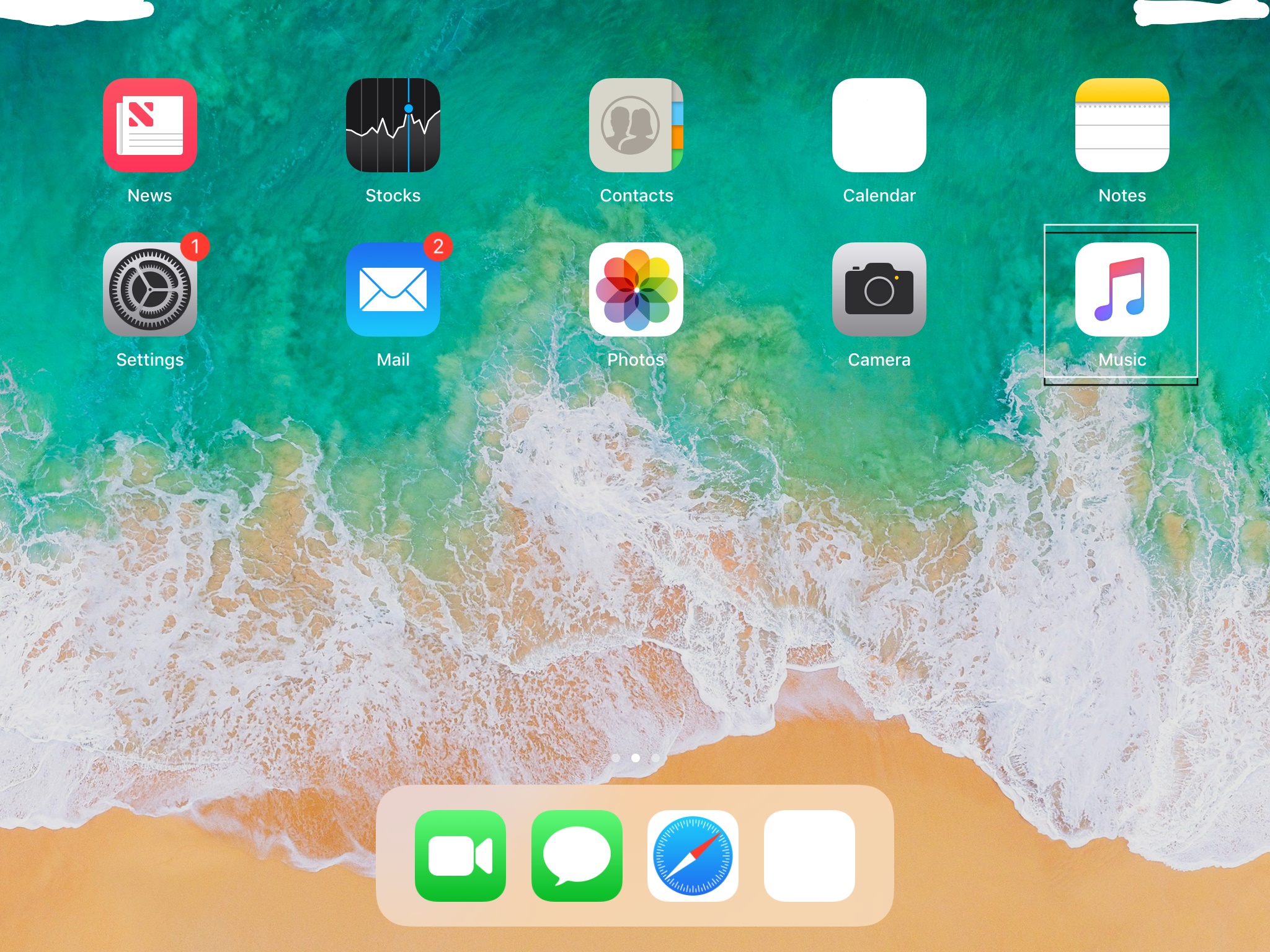
Tap the music icon
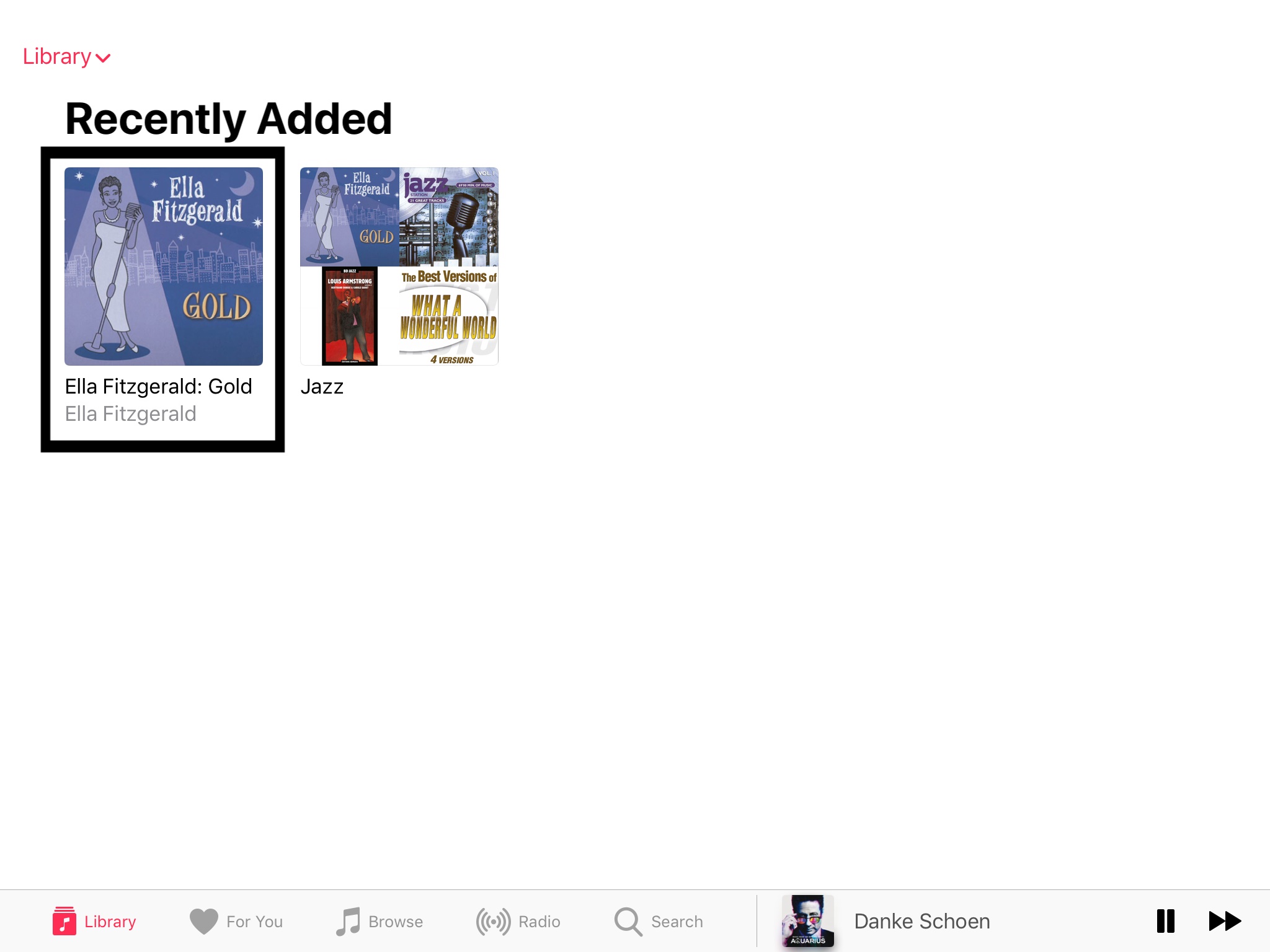
Then Tap the playlist you want to listen to
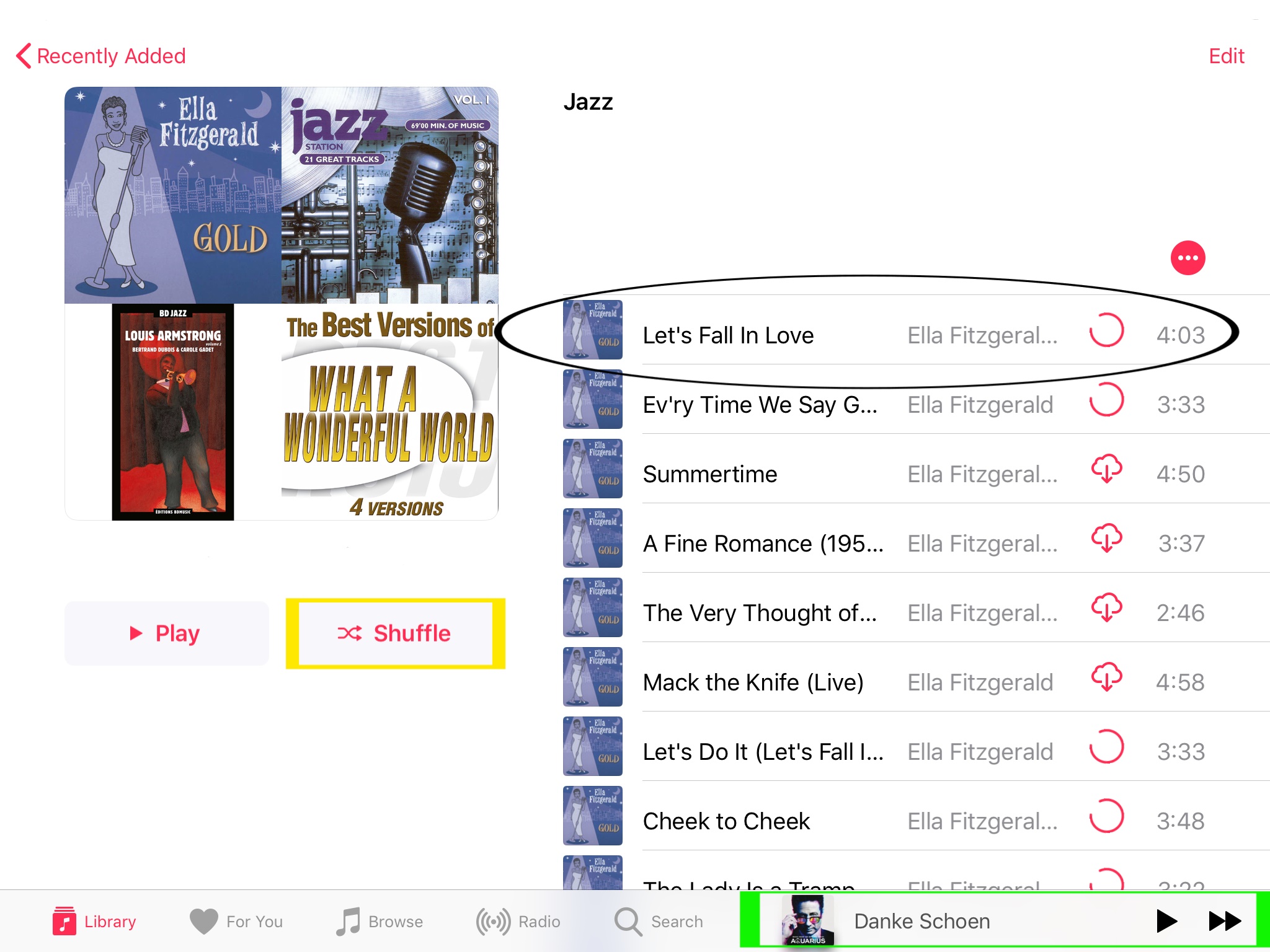
Then Tap the song you want to listen to (Highlighted black) or you can tap "Shuffle" (Highlighted Yellow) then tap the button highlighted green
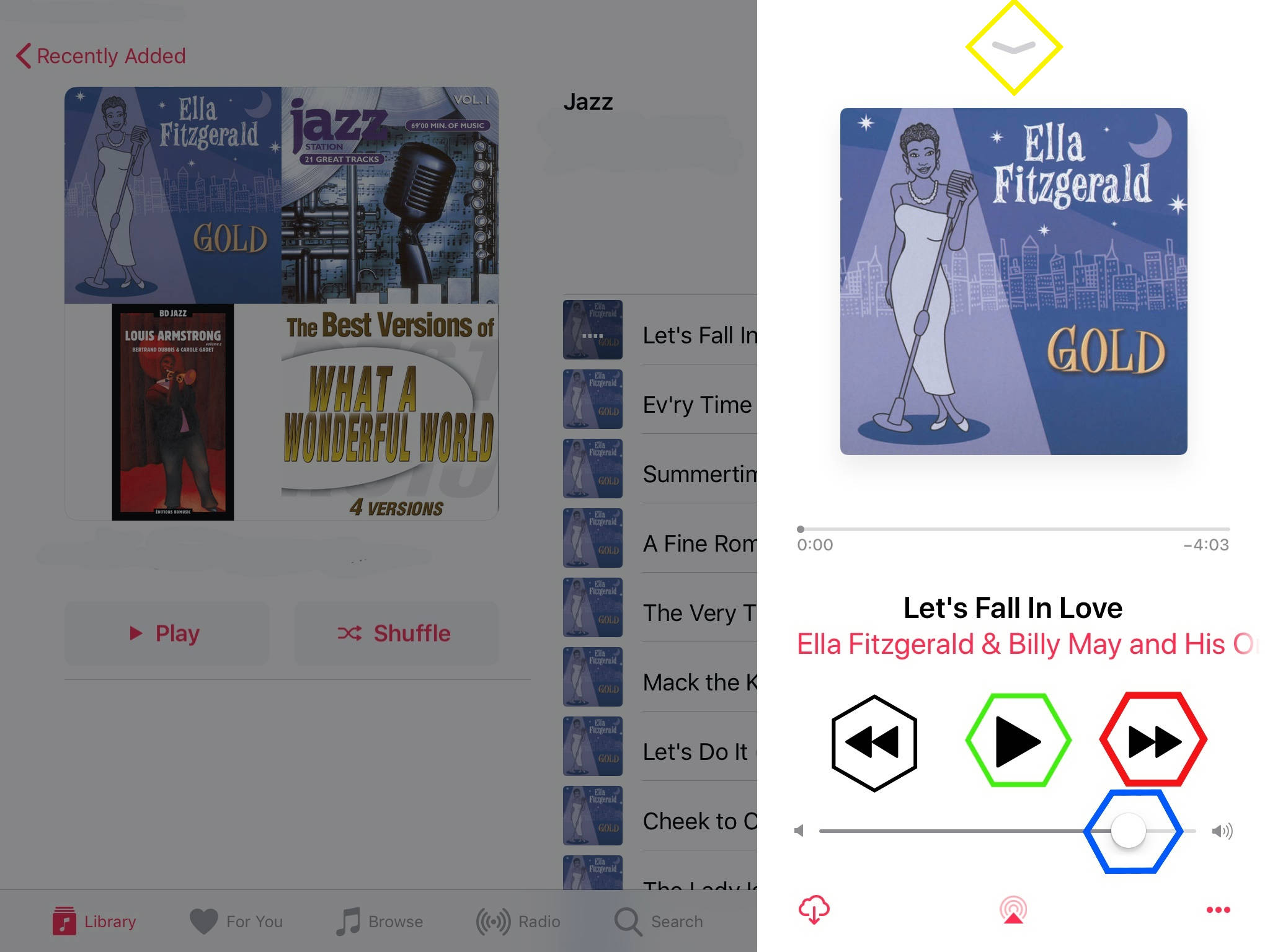
Then this screen will appear:
1: The 'black' highlighted button winds back one song.
2: the 'green' highlighted button pause's the song
3: the 'red' highlighted button winds forward one song
4: the 'blue' highlighted button ajusts the volume (sliding left or right [ left is no sound right is loud ])
5: the 'yellow' highlighted button close's this veiw to retun to the previous veiw.
Remember to always turn off the music (By pressing the pause button [ highlighted in green ]) when you stop listening as it will drain your battery
This page was created by Seamus McCorry to help people who are not computer illiterate